
SAP Purchasing Organization – OX08
Key Responsibilities:
Negotiation: This means talking to vendors to agree on prices and delivery terms.
Legal Responsibility: This unit is mainly in charge of all buying transactions with outside vendors.
Vendor Management: This involves keeping good relationships with vendors and updating the “Purchasing Info Records.”
Types of Purchasing Organizations
Depending on how your business is set up in SAP, you can organize it in three different ways:
Corporate (Centralized): One Purchasing Organization buys for all Company Codes in the client.
Company-Specific: One Purchasing Organization buys only for one specific Company Code.
Plant-Specific: One Purchasing Organization is linked to a specific Plant.
SAP Assignments
To make everything work in the system, you need to do these assignments in the Enterprise Structure (SPRO):
Assign to Company Code: This connects the purchasing unit to the financial legal entity.
Assign to Plant: This lets the purchasing unit buy materials for that specific factory or location.
spro-sap reference img-sap customizing implementation guide-enterprise structure-definition-materials management-maintain purchasing organisation-OX08.
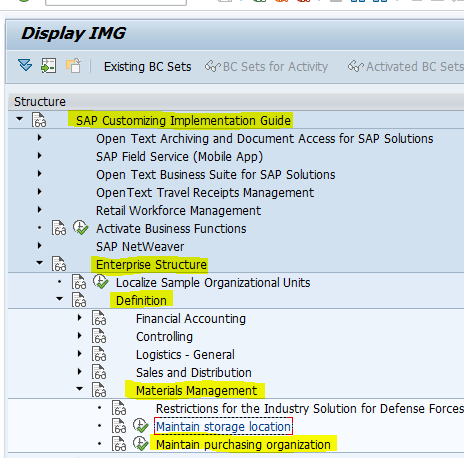
Select the Maintain purchasing organization.
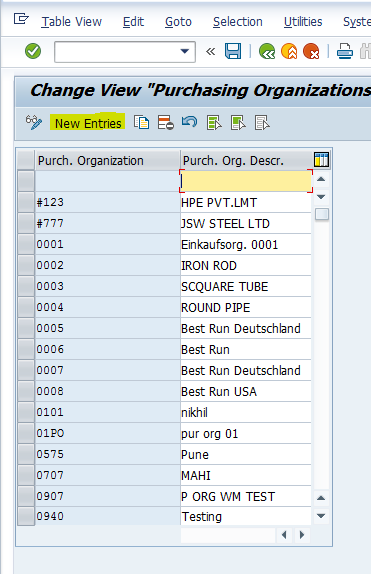
Select the New Entries.
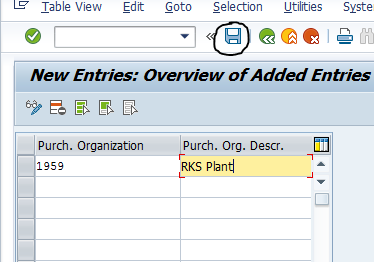
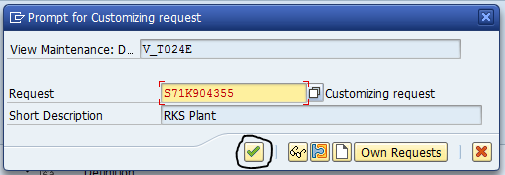
Click the Continue button.
The Purchasing Organization 1959 – RKS Plant has now been created.
Define Storage Location – OX09
It is an organizational unit. A storage location refers to the physical site designated for storing the materials. You can create several storage location under the plant, but you can assign a storage location to one plant only.
spro-sap reference img-sap customizing implementation guide-enterprise structure-definition-materials management-maintain storage location-OX09.
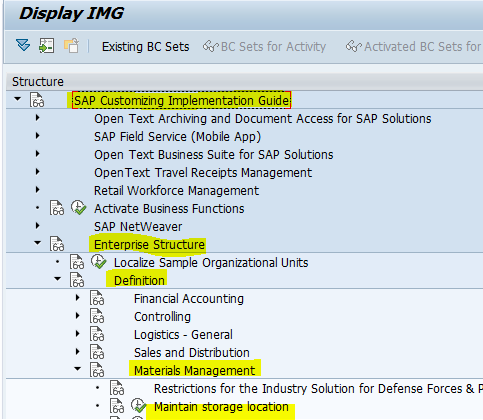
Select the Maintain storage location.
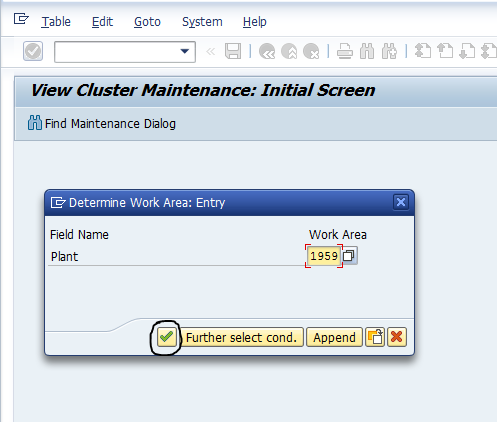
Enter our Plant and click the Continue button.
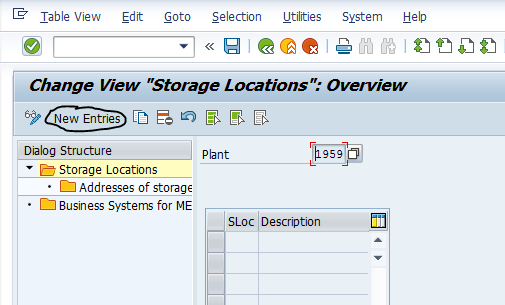
Click the New Entries.
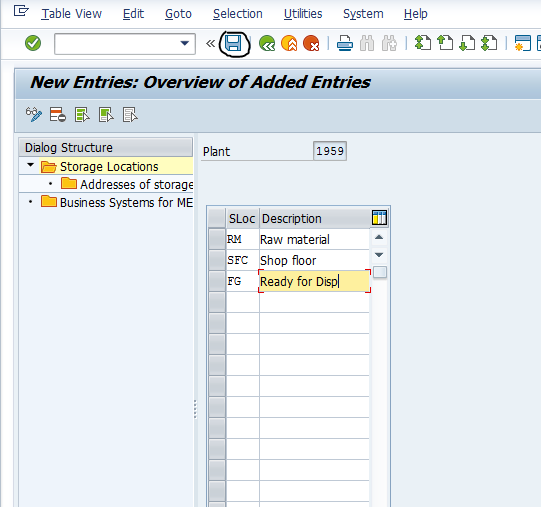
Enter the storage location based on the organization. Here for practical purpose i mentioned three storage locations.
- RM – Raw material
- SFC – Shop floor
- FG – Ready for dispatch
Enter and Save.
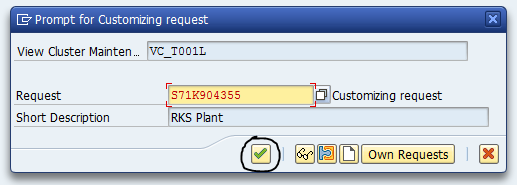
Click the Continue button.
The storage locations
- RM – Raw material
- SFC – Shop floor
- FG – Ready for dispatch has been created.
“If you know more details about this topic, visit the official website“