
Plant-OX10
A plant is a part of Logistics that breaks down the company for things like making products, buying supplies, keeping things running, and planning materials.
A plant creates materials or provides goods or services.
A plant can be linked to different combinations of sales organizations and distribution channels. It can have multiple shipping points and a shipping point can be linked to several plants. A plant and a division are part of only one business area. It has its own address and language, and it belongs to a specific country and region. Multiple purchasing organizations can be connected to a plant. A plant can be both a production plant and a maintenance planning plant at the same time. Production planning and production are done specifically for each plant. Product costing can also be done across different plants.
Each plant has its own material master data. This data can be updated at the plant level for different views of the material master record, like Materials Requirements Planning, Purchasing, Storage, Work Scheduling, Production Resources/Tools, Forecast, Quality Management, Sales, and Costing.
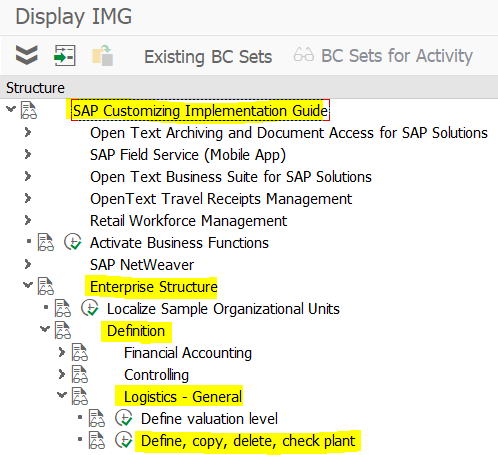
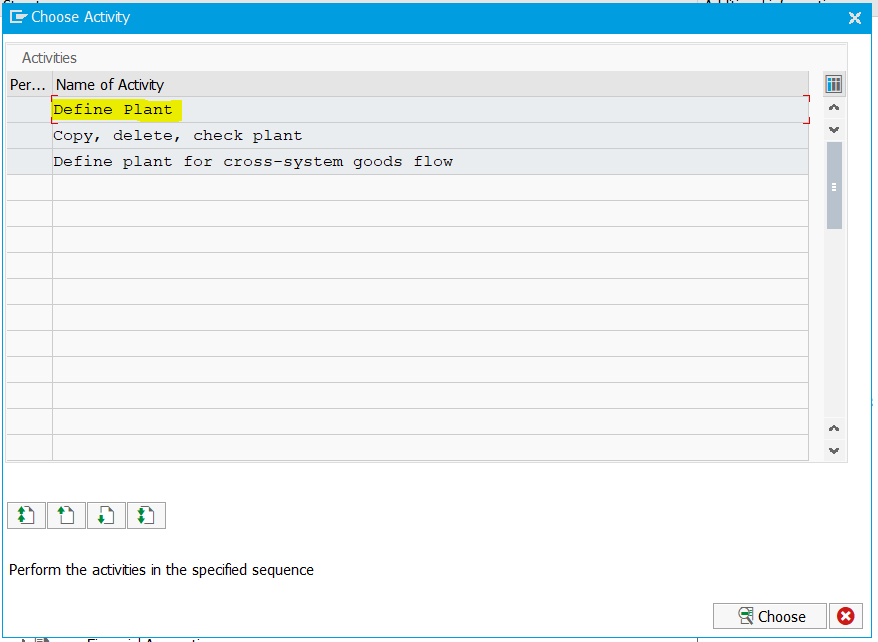
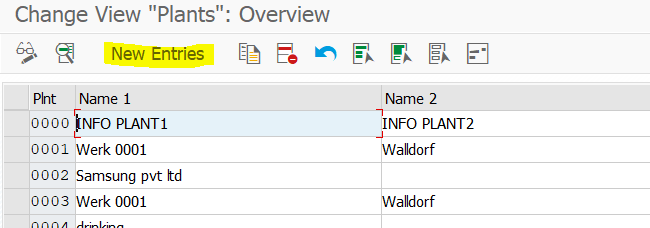
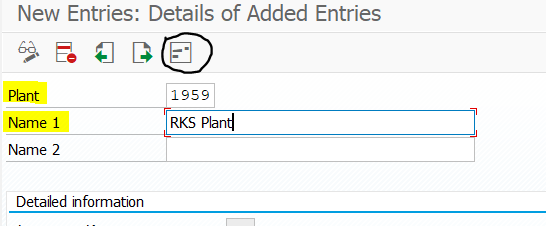
spro-sap reference img-sap customizing implementation guide-enterprise structure-definition-logistics general-define, copy delete, check plant-0X10
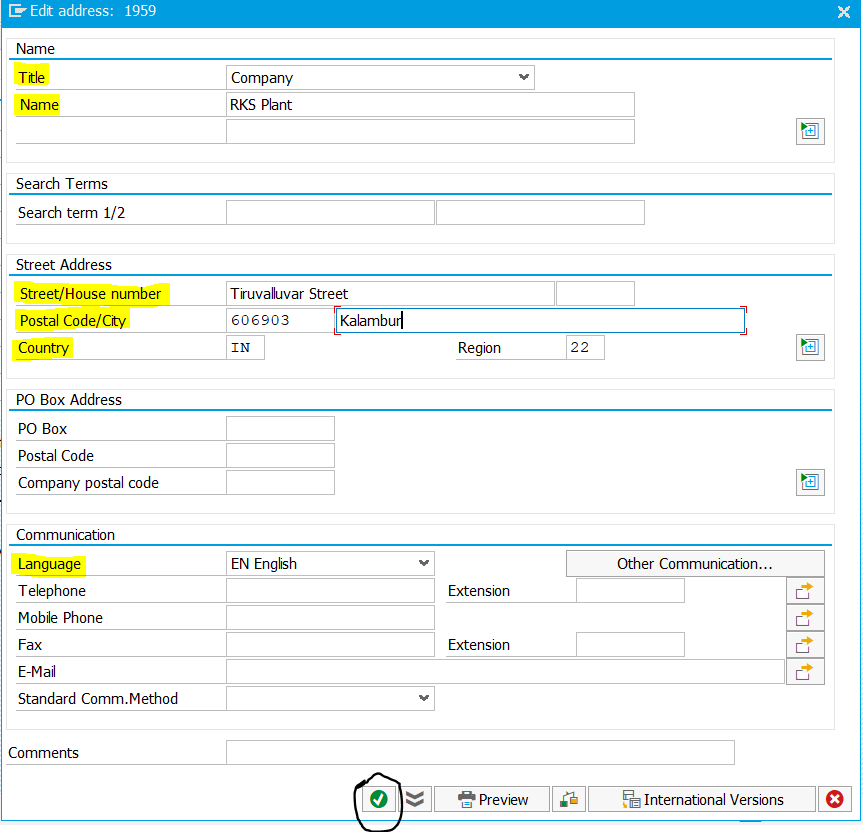
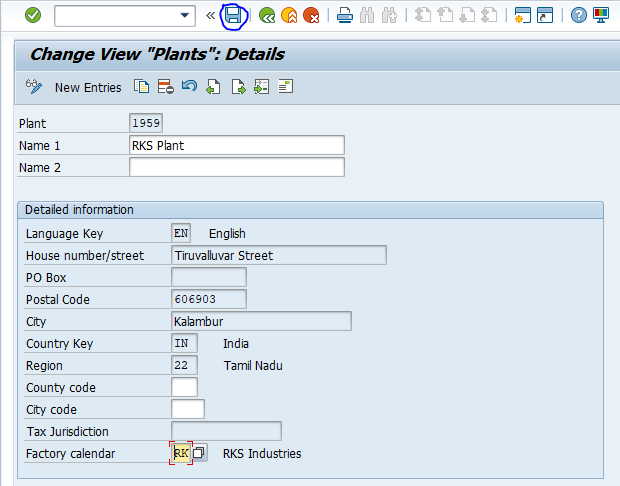
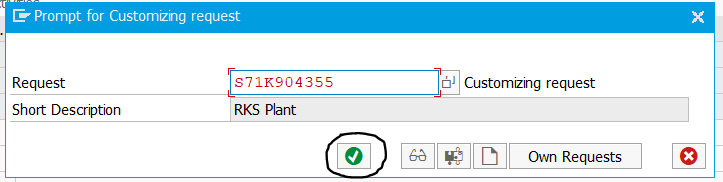
Define Division – OVXB
It is an organizational unit within the Sales and Distribution (SD) module, utilized for the categorization of materials, products, or services.
It is defined as two-digit alphanumeric code.
spro-sap reference img-sap customizing implementation guide-enterprise structure-definition-logistics general-define, copy, delete, check division-OVXB
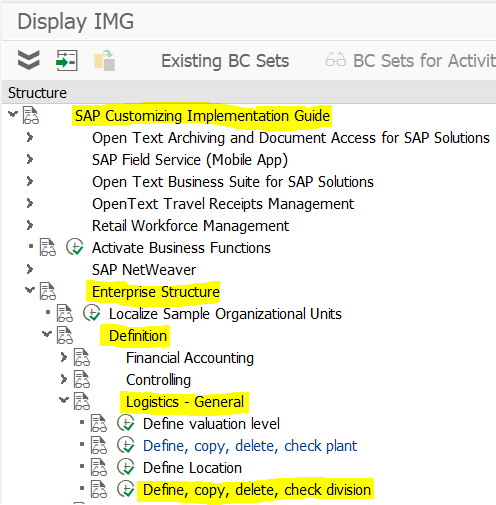
Select the Define, copy, delete, check division
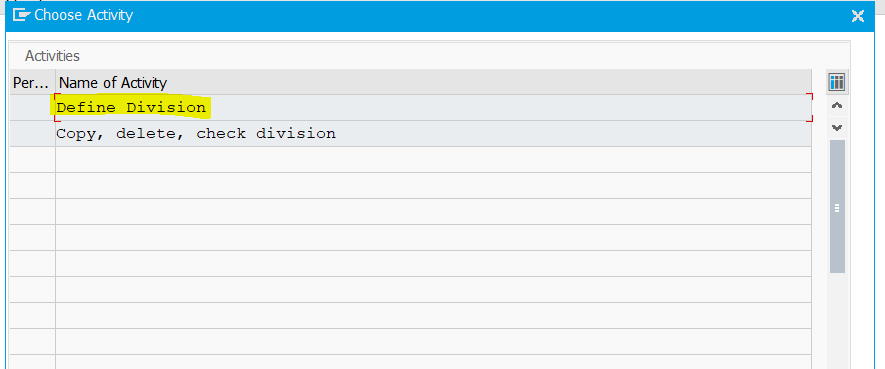
Double click on Define Division as highlighted in the image.
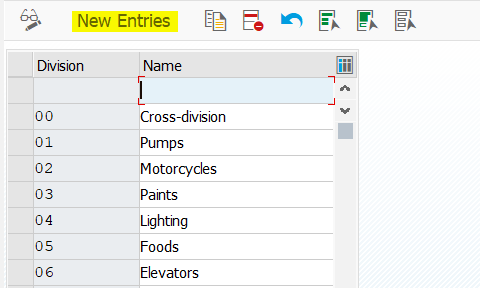
Click the New Entries.
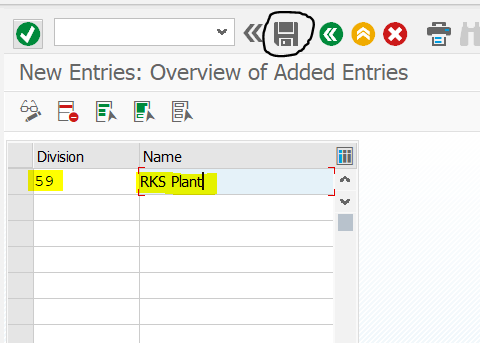
Give the division code 59 and the name RKS Plant as shown in the image, then press enter and click the Save button.
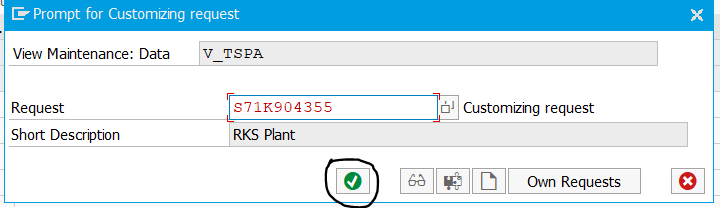
Click the Continue button.
The Division 59 – RKS Plant has now been created.
Define Shipping Point – OVXD
It is a organizational unit under the logistics execution and a separate organization that handles the processing and tracking of deliveries, including picking, packing, and sending out goods.
It is defined as four-digit alphanumeric code.
spro-sap reference img-sap customizing implementation guide-enterprise structure-definition-logistics execution-define, copy, delete, check shipping point.
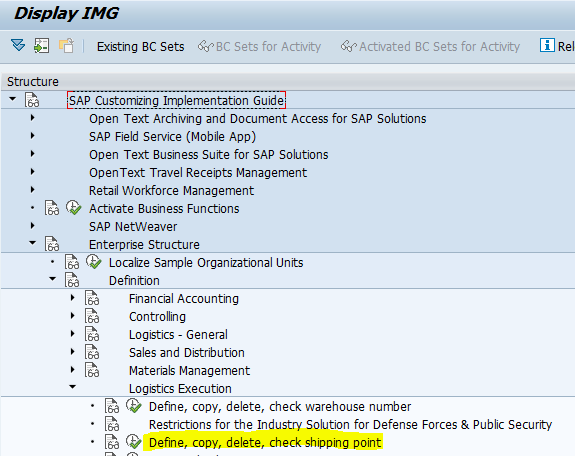
Select the Define, copy, delete, check shipping point.
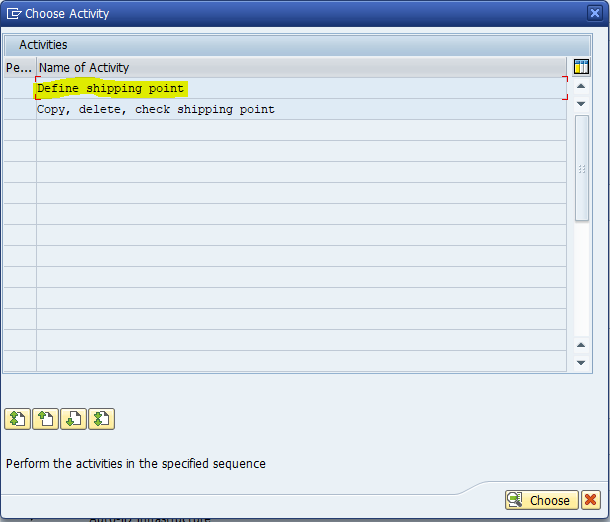
Double click on Define shipping point as highlighted in the image.
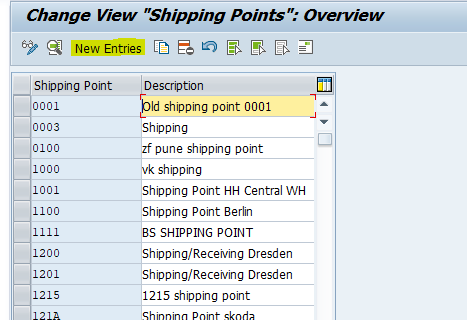
Click the New Entries.
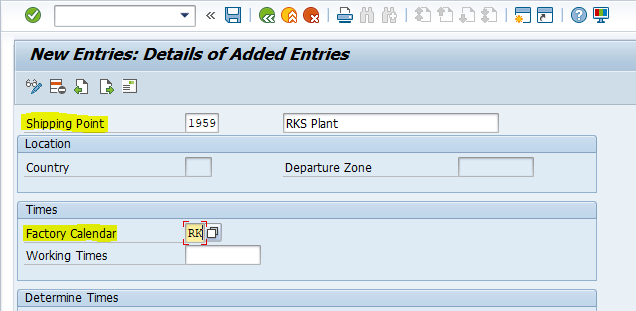
Fill the required fields as shown in the image and click the Save button.
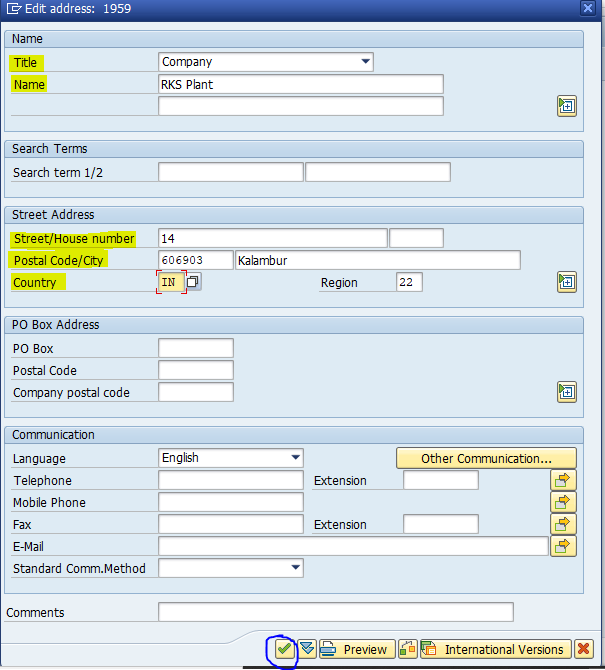
Fill the required fields in the address details screen as shown in the image and click the Continue button an then next screen click the Save button.
The Shipping Point 1959 – RKS Plant is created.
“If you want to learn more about this topic, please visit official website.”
One by one posting …
So simple to understand
Good job 👍