
Welcome to Modules and versions in SAP….
Modules and Versions in SAP:
MODULES IN SAP:
SAP modules are broadly categorized into functional and technical types.
Functional Modules:
SAP functional modules are specialized components within an SAP system that focus on specific business processes or functional areas. The 9 modules are,
1. SAP Financial Accounting (FI)
2. SAP Controlling (CO)
3. SAP Sales and Distribution (SD)
4. SAP Material Management (MM)
5. SAP Production Planning (PP)
6. SAP Quality Management (QM)
7. SAP Plant Maintenance (PM)
8. SAP Warehouse Management (WM)
9. SAP Human Capital Management (HCM) or SAP Human Resource (HR)
Technical Modules:
SAP technical modules are the core components that provides the infrastructure and development environment for SAP systems. The modules are,
1. SAP Netweaver
2. SAP Basis
3. SAP ABAP
4. SAP Solution Manager
5. SAP BI/BW (Business Intelligence/Business Warehouse)
6. SAP Hana.
In the Modules and Versions in SAP tutorial, we discussed about modules and now will see the versions.
Versions in SAP:
1. 3.0
2. 4.0
3. 4.5
4. 4.6
5. 4.7
6. ECC 5.0
7. ECC 6.0
8. ECC 6.0 EHP8
9. SAP S/4 HANA
Where ECC – Enterprise Central Component
EHP – Enhanced Package
We will discuss major functional modules here for better understanding purpose.
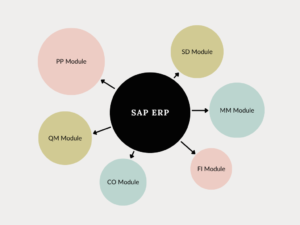
SAP Financial accounting:
It is used to keep track of business transactions and manage the financial relationships between customers and vendors. This includes handling payables, receivables, collecting and sending payments, as well as accounting statements.
SAP Controlling:
The controlling module of SAP is really important for internal reporting within an organization.
This module gives management the information they need to plan effectively, report accurately, and keep an eye on how the business is running.
Thanks to the information from the controlling module, organizations can make better decisions in their management processes.
SAP Sales and Distribution:
One of the main parts of SAP, it helps with shipping, billing, selling, and moving products. This part of Logistics takes care of customer relationships, starting from making a quote to creating a sales order and billing for the product. It works closely with MM and PP.
SAP Material Management:
This module is really important because it helps businesses keep track of their inventory, buying supplies, and planning materials. It lets companies have all their stock and cost records in one place.It works closely with PP, SD and FICO.
SAP Production Planning:
This is a module that takes care of the whole production planning process. It has important information like bills of materials, routings, and work centers. It also has features like sales and operations planning, demand management, material requirements planning, capacity planning, production orders, and Kanban.
The goals are to learn about the main business processes, set up master data, explain planning strategies, understand how it connects with other modules, and describe production planning reports and tools.
SAP Quality Management:
This module helps with planning, checking, and controlling quality.
It also manages quality data and alerts.
Some important features are planning inspections, processing the results of inspections, and keeping track of costs related to quality.
This module works with other SAP applications to give a complete quality management system throughout the product life cycle according to ISO standards.
SAP Plant Maintenance:
SAP maintenance is carried out systematically by the following approaches.Mainly preventive maintenance is carried out in SAP.
To stop equipment from breaking down and getting worse, we need to check, inspect, and diagnose it, fixing any issues before it fails. This is called preventive maintenance.
It can be divided into two types:
- Periodic maintenance is when we prevent failures by repairing the equipment and changing parts at the right times.
- Predictive maintenance is when we check and diagnose how worn out the equipment is and fix it based on what we find.
Hope this topic ” Modules and versions in SAP helped you”.
Next topic is how to create Company.
This topic shows step by step guide to configure a new company with screenshot images.
“To Learn more about SAP, visit the official website“