
Assign Sales Organization to Company Code – OVX3
This job takes money, taxes, and what customers owe from sales papers (like bills and invoices) and sends them to the right business accounting group.
It makes sure that sales work gets reported under the correct legal rules and regional tax laws that go with that specific company code.
It moves accounting facts and business results from the Sales and Distribution (SD) section straight into the Financial Accounting (FI) section.
Each sales group connects to just one company code.
One company code can have lots of sales groups connected to it (this helps when you have different products or areas).
If a sales group sells stuff from a factory that belongs to a different company code, the system takes care of it by making an inside company billing paper.
spro-sap reference img-sap customizing inplementation guide-enterprise structure-assignment-sales and distribution-assign sales organization to company code-OVX3
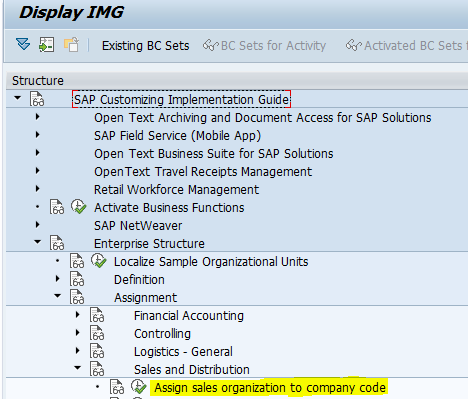
Click the Assign Sales organization to company code.
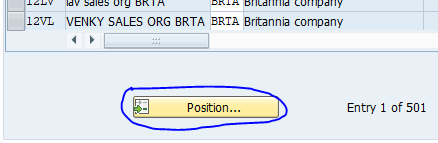
Click the Position.
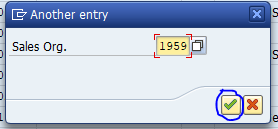
Enter the Sales Organization and click the Continue button.
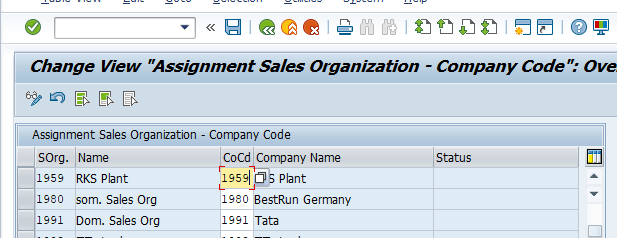
Enter our Company code and press enter and then Save.
Now the Sales Organization 1959 is assigned to Company Code 1959.
Assign Distribution Channel to Sales Organization – OVXK
A Sales Area is made when you put together a sales organization, a distribution channel, and a division. You need this setup to handle sales orders, make customer information, and do business deals.
This structure lets you use different pricing plans, special discounts, and tax rates for the same product based on how customers buy it. For instance, a wholesale channel might offer cheaper prices for big orders than a retail channel does.
You can keep special information separate for each distribution channel. This includes things like the smallest amount you have to order, whether products are in stock, and deals made just for certain customers.
It also helps figure out which factory sends the products for a certain sales route. This makes sure you track inventory the right way and deliver stock correctly.
spro-sap reference img-sap customizing inplementation guide-enterprise structure-assignment-sales and distribution-assign distribution channel to sales organization-OVXK
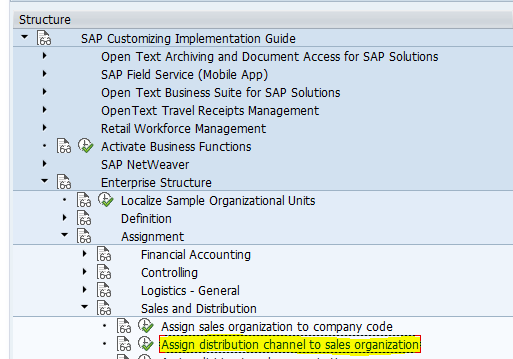
Click the Assign distribution channel to sales organization.
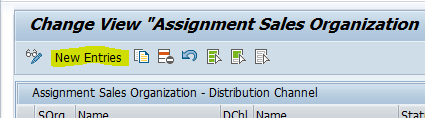
Click the New Entries.
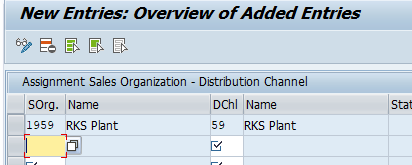
Enter the sales organization, distribution channel and press Enter and then Save.
Now the Distribution Channel 59 is assigned to the Sales Organization 1959.
Assign Division to Sales Organization – OVXA
You have to do this assignment because it’s the first step to set up a sales area (which puts together a sales organization, distribution channel, and division). This sales area controls how sales orders, customer information, and billing papers get handled.
This assignment lets one company manage and keep different types of products separate (like keeping electronics different from clothes or chemicals).
It helps you put the right customer service and order-handling teams with the specific product groups they know best.
It gives you the basic structure you need to collect product-specific sales information, figure out how much money you’re making, and track how well things are going.
It helps you decide on product-specific prices, special deals, and checks on product information when people enter orders.
spro-sap reference img-sap customizing inplementation guide-enterprise structure-assignment-sales and distribution-assign division to sales organization-OVXA
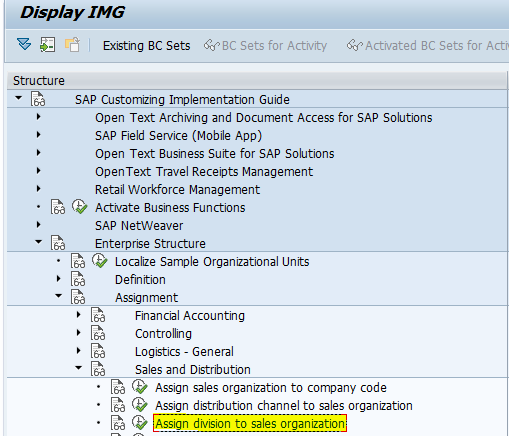
Click the Assign division to sales organization.
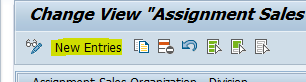
Click the New Entries.
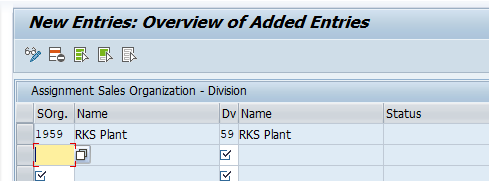
Enter the sales organization, division and press Enter and then Save.
Now the Division 59 is assigned to the Sales Organization 1959.
Setup Sales Area – OVXG
A sales organization puts together three important things to make buying and selling work: the company that’s legally allowed to sell stuff (Sales Organization), how the company reaches customers (Distribution Channel), and what products it sells (Division). These three things combine to create a working unit that’s needed for deals to happen.
This system connects specific groups of products or services to the legal and operational units that are allowed to sell them.
It lets companies set up special pricing, discounts, rules about partial delivery, and payment terms that fit a specific product line and the way it’s sold.
It keeps track of sales information, money made, and how much profit comes from different product categories or business lines.
It also makes sure that only the right combinations of products and sales channels can be used when creating sales orders and bills.
spro-sap reference img-sap customizing inplementation guide-enterprise structure-assignment-sales and distribution-setup sales area-OVXG
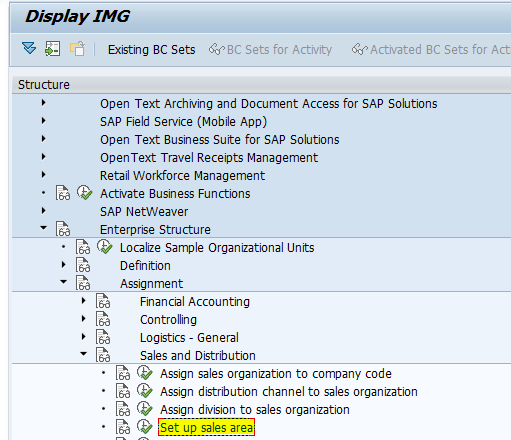
Click the setup sales area.
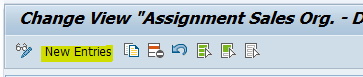
Click the New Entries.
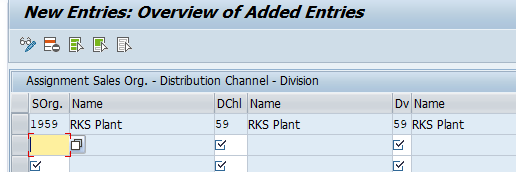
Enter the sales organization, distribution channel, division and press Enter and then Save.
Now the Sales Organization 1959 is assigned to distribution channel 59 and division 59.